Introduce the Around the Farm game in the AR Adventures augmented reality app.
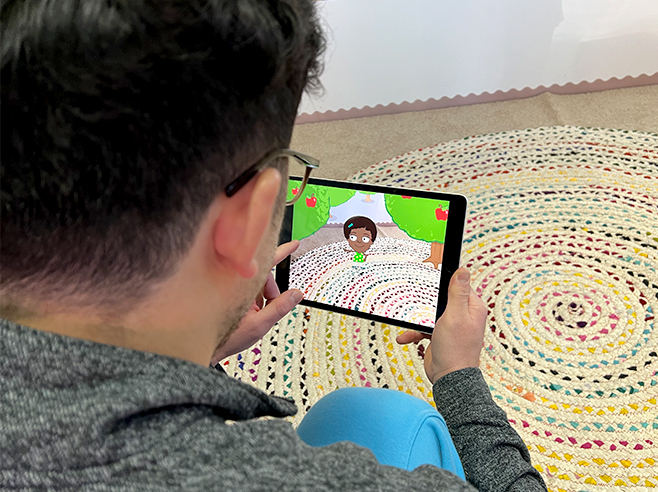
Demonstrate how to pick apples and feed the animals in this augmented reality (AR) game.
Materials
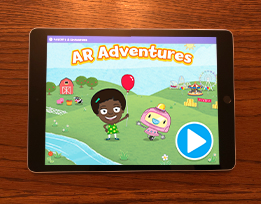
- AR Adventures app on the iPad
Preparation
- Make sure the iPads are charged and the AR Adventures app is installed.
- This app uses augmented reality (AR) technology that places characters and scenes onto a player’s real world. Play through the Around the Farm game in the AR Adventures app ahead of time so that you feel comfortable demonstrating it to children—especially the augmented reality parts of the game.
- Note: You’ll introduce the app and how to play during Circle Time or in small groups. Children will then play Around the Farm during Learning Center time.
Directions
- Tell children they are going to play a game called AR Adventures. Select the Around the Farm game in the AR Adventures app. Explain: In this game, we will navigate the map of the farm to get to the apple trees and pick some apples! Then, we’ll navigate the farm map to get to the animals and feed them the apples!
- Show the class the iPad and demonstrate how to play.
- Navigate the map to get Gracie to the apple trees. Drag your finger along the path to move Gracie around the map. Ask children if they want to go over, under, between, or through the obstacles in her path.
- Demonstrate how to access augmented reality. Show children how to find Gracie in their world by holding the iPad upright and slowly scanning a flat surface like the floor or a table top. Images of Gracie and some apple trees will then pop up on the screen. Show children that you can move the iPad left, right, up, or down to see more apple trees.
- Collect the augmented reality basket. Move the iPad to find the basket. When you’re close, a white sparkly circle will appear. Hold the sparkly circle on the basket until it turns rainbow colors and the basket appears at the bottom of the screen.
- Collect augmented reality apples. Now point the sparkly circle at one apple to collect it. When apples are collected they will appear in the basket. Collect six apples!
- Navigate Gracie on the map to get to the cows. The game will automatically go into the cow pasture.
- Feed the cows. Hold the iPad upright and slowly scan a flat surface like a floor or a table top until Gracie appears. Gracie will give directions for which cow to feed. Focus the sparkly circle on the correct cow to feed it an apple! Tell children that when they play later, they’ll also feed some pigs!
- Finish by telling children that everyone will get a chance to play Around the Farm during Learning Center time and you’ll go over the instructions again.