Introduce the Map the Fair game in the AR Adventures augmented reality app.
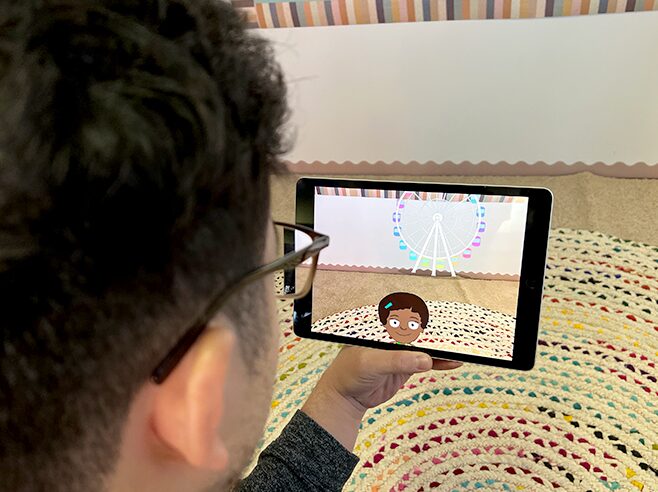
Demonstrate how locating fair rides in augmented reality can help to create a map of the fair.
Materials
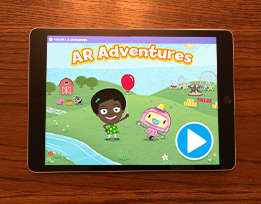
- AR Adventures app on the iPad (one iPad per child)
Preparation
- Make sure the iPads are charged and the AR Adventures app is installed.
- This app uses augmented reality (AR) technology that places characters and scenes onto a player’s real world. Play through the Map the Fair game on the AR Adventures app so that you are comfortable demonstrating it to children—especially the augmented reality parts of the game.
- Note: You’ll introduce the app and how to play during Circle Time or in small groups. Children will then play Map the Fair game during Learning Center time.
Directions
- Tell children they are going to play a game called AR Adventures. Select the Map the Fair game. Explain: In this game, we will help Gracie make a map of the entire fair! We will win stickers for the rides and then place them in the right spot on the map.
- Show the class the iPad and demonstrate how to play.
- Notice the empty map. Gracie will invite children to make a map of the fair.
- Show children how to find Gracie in their world by holding the iPad upright and slowly scanning a flat surface like the floor or a table top. Images of the fair and Gracie will then pop up on the screen.
- Get a ticket. Follow Gracie’s directions to get a ticket by holding the sparkly circle on the ticket booth.
- Find the ride. Follow Gracie’s directions to the correct ride. Hold the sparkly circle on the ride to pay the ticket and see the ride go! Then you will win a sticker.
- Create the map. Drag the sticker of the ride to the correct location on the map based on where you saw the ride in the augmented reality fair. Use the location of Gracie or other rides or objects to determine where the new sticker goes. Demonstrate how to make the map (for example: When we looked at Gracie in the fair, we turned right to see the Ferris wheel. Now we’re looking at Gracie on the map. Where should the Ferris wheel go?)
- Finish by telling children that everyone will get a chance to play Map the Fair during Learning Center time.